Showing posts with label debian. Show all posts

Sunday, November 11, 2012

Code Search is dead. Long live Code Search!

I'm bumping a breaking news from debian.net: Introducing codesearch.debian.net, a regexp code search engine

The days of google codesearch are ended since a while, but now we have an up-to-date and open source debian codesearch.


(from the about page):
It searches all the open source projects which are included in the Debian archive (the "main" distribution only, not non-free or contrib). Currently, that includes about 18000 packages with 140 GiB of source code.
The search engine itself is based on Russ Cox’ codesearch tools, meaning it uses Regular Expressions as input. Like the codesearch tools, it was implemented in Go.

The project is a thesis so the source code won't be available until January 2013, and we all hope that the project continues beyond that date.

Saturday, July 23, 2011

Give my luck back, Firefox 5!

Today I've upgraded to firefox 5, special thanks to Debian developer for packaging it. So far, everything works well and better than before, except two things (one of which I managed to tweak):
  1. The tabs bar is higher than before. This means that the mouse must move more to reach them. This has been solved. Thanks for allowing me to put the tabs bar below back again.
  2. The address bar no more involves "I feel lucky" search. The feature was awesome, because I often write a partial website name and I get most of the time to the right page without actually typing the whole name. Also, since we already have a search bar on the top-right, why was this feature removed? It's kind of duplicated now.
So, dear readers, do you know of any add-on so that I can have "I feel lucky" search back, before I write one? Having it on the top-right bar is good as well.

Edit: The solution is to open about:config and set the keyword.URL value to "http://www.google.com/search?btnI=745&q=" (without quotes). Thanks to Giuseppe for the hint.

Friday, May 27, 2011

Complete variables with cd command in bash

Hello,
lately I've been searching for a way to complete variables containing directories with the "cd" command in bash. This is very helpful if you have something like "cd $mydir/". This is not actually working in debian bash-completion.
Then I've realized that other commands such as "ls" actually expand variables. I looked for some "complete" combo used for "ls" but not for "cd" in /etc/bash_completion and I came out with the following:

complete -F _longopt -o default cd

Luckily, this is exactly the command needed to enable variable expansion with the "cd" command. Put that in your .bashrc after loading bash_completion and you're done.

Saturday, February 19, 2011

Aptitude string for downgradable packages

Hello,
I'm lately doing some tests with Debian experimental packages thus I often upgrade some packages to experimental and downgrade them back to unstable.
WARNING: Downgrading in Debian is not supported etc.

aptitude search "?narrow(?installed,?archive(experimental))" -F %p|\
sed
's,\([^ ]*\),\1/unstable,'|xargs echo


This will give you a list of experimental packages installed on your system each concatenated with "/unstable". The output can go straight to "aptitude install". I don't directly use "xargs aptitude install" because it's not interactive.

Monday, August 16, 2010

Debian Appreciation Day

Hello,
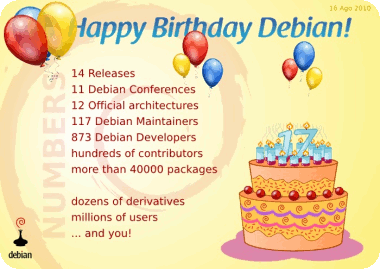
today is the Debian birthday. For this event a Debian Appreciation Day has been prepared to thank all the Debian organization, all the contributors, developers, teams and everything related to the universal operating system. If you want to thank Debian and make developers feel loved :P here's the page: thanks.debian.net.


Tuesday, March 16, 2010

Tdpkg troubleshooting and some news

Hello,
lately I've received some feedback, thanks for this.

1) Is it compatible with apt? Can I use dpkg back again after using tdpkg?
The answer is... yes! You can use what you want in the order you want, and use tdpkg when you want. Take in consideration that after using dpkg (or apt) without tdpkg, then you use tdpkg the cache will be rebuilt for consistency.

2) It's not working here (Ubuntu, other distro...), doesn't create the cache.
First of all you have to be root when first running tdpkg in order to create the cache. If this didn't solve the problem you are maybe using an untested platform. Debian uses eglibc and tdpkg has been tested on i386 and amd64. Since tdpkg does wrapping around glibc calls it might happen to not wrap the right functions. If you want tdpkg to be ported to your platform please comment here with the result of these commands:
objdump -T /usr/bin/dpkg|grep open
objdump -T /usr/bin/dpkg|grep stat
objdump -T libtdpkg.so|grep open
objdump -T libtdpkg.so|grep stat

3) Should I put the alias also for apt-get and aptitude?
Yes you have to. Aptitude and apt-get bypass the shell so the only alias for dpkg won't work.

Another thing I'd like to say is that dpkg/experimental has a patch that speeds up a lot database reading by asking the kernel to cache .list files... i.e. dpkg will avoid cold start. This brings timing from 14 seconds to about 3 seconds! At all, using tokyocabinet you get 1 second. Think that including a cache inside dpkg would mean even less than 1 second.

Have fun... :)

Monday, March 15, 2010

Tdpkg 1.0 - speed up reading dpkg database

Hello,
you may have noticed that dpkg takes a long time reading the database the first time you run it (e.g. through apt). This is because of the huge number of /var/lib/dpkg/info/*.list files (1700+ on my desktop machines). It can take up to 14 seconds and more at cold start to install/remove a single package.
Since 2007 in dpkg mailing list a first proposal (by Sean Finney) to using sqlite as cache has been posted, then a couple of weeks ago I reproposed it. No reply since then from the maintainers.

My first idea was to fork dpkg and only change the part about reading the list files. This means you had to install another dpkg version, and I haven't done it for two main reasons: most of people wouldn't have replaced dpkg and it'd have been too hard to maintain it.
The solution is tdpkg, a shared library that wrappes around glibc function calls of dpkg. You'll find in README to backup your /var/lib/dpkg/info but tdpkg is robust enough to not fuck it up.

Tdpkg comes with tokyocabinet (faster) and sqlite (handles concurrency better) cache backends. I've managed to bring cold startup time from about 14 seconds down to about 2 seconds. I will definitely have fun installing and removing applications back again.

Wednesday, March 03, 2010

Debian/GNOME bug triage ended

Hello,
I'm writing about the work done in the bug triage weekend of the Debian/GNOME team, started at 27th Feb and ended in 28th Feb.
The result is great, 167 bugs have been closed and many more have been triaged and forwarded upstream.

Thanks to everybody who contributed, especially to whom has done it for the first time (well, you can still continue working on the remaining bugs ;) ).

Saturday, August 29, 2009

New GPG key

Hello,
due to some synchronization problems between my desktop and laptop, unfortunately I've lost my GPG secret key. I was planning to renew my key after the SHA issues, but this way I can't neither revoke the old key nor sign the new key. So I please anybody having my pubkey to delete it:
gpg --delete-key C29A9371

I've uploaded my new key as usual so you can get it:
gpg --keyserver pgp.mit.edu --recv-keys D2C27B6B

Friday, February 27, 2009

Awesome/other wrong keyboard layout

Hello,
due to the high resource usage by Eclipse (I have to use that unfortunately because of my professor) I've temporarly dropped GNOME and now I'm using Awesome for a while.

Ok let's say the problem: the keyboard. Do you have different languages, layouts and so on among several configurations (GNOME, X, ...) and your keyboard layout is messed up with awesome?
Just do it:

setxkbmap -layout YOURLAYOUT


Where YOURLAYOUT for me is it.

I've found this utility in this mailing thread. Yet you can read that awesome is still too young and lacks some keyboard configuration features.

Have fun!

Friday, December 26, 2008

Mailbox-to-mbox

Hello,
lately I've been looking for a way to convert a mailman archive to an mbox format so that I could open with mutt.
I then found a couple of scripts, but the one I've found simpler and working for my needs is mailbox2mbox.pl.
Sample usage:

$ gunzip YourArchive.txt.gz
$ perl mailbox2mbox.pl < YourArchive.txt > mbox
$ mutt -f mbox

And it simply works!
Does anybody know a method as simple as the above one but more powerful?

PS: Happy holidays!

Monday, December 01, 2008

Aptitude-gtk progress

Hello,
I was curious to see if aptitude-gtk was making some progress. I haven't followed the project since it's been merged into aptitude.
Well, I found it more functional and complete. Here's a screenshot showing pending packages for upgrade after an update:
From GNOME

The team is definitely doing a good job. Hopefully I'll find the time to give some help as I'm really interested in such full-featured GUI frontend.
Keep going on!

Thursday, September 11, 2008

Debian Get Satisfaction


Hello,
lately I've found getsatisfaction, a social web2 free customer support for all companies and products.
Of course, what have I done is to look for the Debian company. Well it's there, but unused.

  1. Easy for novice users to ask and find answers there.
  2. You can share you ideas and get help
  3. Report problems and get help on bug reporting
  4. General and specific discussion
  5. Subdivide the service in variuos products (for examples ports and distributions)

Monday, August 11, 2008

Compiz with ATI RS480 on Debian

Hello,
after years that compositing has been introduced in our desktop, it's finally come the time to try it.

Uninstall fglrx
My video card is not supported very well with Mesa 7.0.x, in fact I've been using the fglrx driver for a long time.... until now!
I had to manually dpkg --purge all the related packages.
Now it's better to rmmod fglrx.

Install mesa 7.1 from experimental
On #compiz-fusion some guys hinted me I should have used Mesa 7.1rc because of recent improvements on my video card. The only way to get such version was to include experimental sources.
Ok, no problem, if it doesn't work I can downgrade back to the previous one.

Upgrade xorg to experimental
But there're still problems, I had to upgrade to the latest xorg in experimental because of mesa compatibility. In fact AIGLX couldn't load DRI drivers because of missing symbols.
I had to dpkg -l|grep xorg the install the one by one. I did pray for everything to work, really.
Now backup xorg.conf and go ahead with X -configure.

Install compizconfig-settings-manager and compiz-fusion-plugins-extra
For some reason, the first time I've tried running compiz it's gone Segmentation Fault. On the IRC channel they hinted me to install the crash handler plugin to back track the error. After installing such packages, magically compiz --replace worked!
Now I have a GNOME Desktop with the Blue-Joy theme and the Avant Window Navigator.

Everything both nice and unuseful, but now I understand how eye-candy fancy stuff can change your desktop.

Before the war:


After:

Thursday, August 07, 2008

Gnome main menu


Gnome main menu
Originally uploaded by Lethalman
Hello,
while I was playing with apt-cache I've discovered a new kind of main menu in GNOME. It's being developed by SuSE. It feels nice, robust and innovative.
The screenshot is showing the documents tab.
To install, aptitude install gnome-main-menu and add the new applet.

kqemu on Debian amd64

Hello,
I've been using qemu a lot lately because I'm creating an usb hdd with debian live.
The image contains a system running postgresql, development packages for gtk and python and gnome-core . All this ends up loading in more than 5 minutes, this is really boring.

Then I begun looking for a faster virtualization system, and found KVM. Unfortunately my processor hasn't the right flag for it.

Finally I found kqemu, which is a module for the kernel that speeds up a lot qemu. I never thought it could speed up things...... so.... much!
Let's install it:
m-a a-i kqemu
modprobe kqemu
That's it, for those who owns an amd64 processor, this is the right way to use kqemu:
qemu-system-x86_64 -kernel-kqemu [your options]
You shouldn't get any error, if you do... boh.

The image now boots in 33 seconds down to the bottom init scripts, and GNOME works only with a slight delay but it's definitely a great speed up. With the real machine, I enter gnome in about 40 seconds.

Keep going the good work Qemu team, and thanks as usual to everyone who helped me on IRC.

Wednesday, August 06, 2008

Debian and zd1211 wifi

Hello,
I'm using debian lenny and I've got these two problems:

  • With versions of the linux kernel prior to 2.6.20 (maybe) I could install zd1211 firmware using the module-assistant which has been now dropped from testing and unstable.
  • Boot process slowed down by 30 seconds and couldn't plug-in the usb pen because udev/hal screw up

What I've done is to remove the source and its created firmware, with the one shipped with testing and unstable (bug #411912):

aptitude remove --purge zd1211-firmware zd1211-source
aptitude update
m-a clean zd1211
aptitude install zd1211-firmware

Now let's fix the hotplug part, open /etc/udev/rules.d/z25_persistent-net.rules and remove similar lines:
# USB device 0ace:1215 (zd1211rw)
SUBSYSTEM=="net", DRIVERS=="?*", ATTR{address}=="00:1d:0f:b3:66:f7", NAME="eth2"
Now try to detach and reattach your usb pen and everything should magically work.

Thanks to Nss (#debianizzati), dcbw NetworkManager developer and gsimmons (#debian).

Monday, June 30, 2008

New debian tool proposal

Hello,
this is my second post about Debian. I'm lately discovering all the tools for both managing my Debian system and creating packages.
dh_make is the first tool I've used for the "first debianization" (called so by the New maintainers' guide) which creates a basic template for your package.
Anyway after a few packagings I've seen that something redundant could be automatized further.
What I suggest is a tool that does the following stuff after dh_make has been called:
  1. First dpkg-buildpackage -rfakeroot
  2. Check for libraries and binaries and create new packages in debian/control
  3. Find docs in usr/shared and modify the doc-base
  4. Check for .desktop files and .xpm then create menu
  5. Find info and manpages files
  6. Obtain copyright from COPYING/LICENSE and such, authors from AUTHORS and so on
  7. Find ITP on BTS and fill in the bug number in the changelog
  8. Rebuild the project
  9. Check for lintian errors and warnings and try to fix them (such as empty directories, wrong library name, etc.)
I'm sorry if I'm missing any files such as init.d or cron.d but I'm still newbie with packaging and I haven't tried all the stuff yet.
How this tool sounds to you? Would it be useful and easy to make at least for simple autotooled projects?

Tuesday, April 22, 2008

Time for Debian

Hello,
I switched to Debian lately and i think it will become my preferred distribution.
I started with Slackware, then an LFS and then Gentoo. I never found them definitive for me.

I used Slackware by compiling sources most of all, then i didn't see any reason to continue using it.

The LFS came since my new PC as a test, and as long I could maintain it I had no problems and had fun with it.

I then installed Gentoo when i got my first DSL. But the updates are slow for lack of testing, I'm on an amd64. I tried to contribute someway but for the time I've been using it I never seen a open and innovative development (not in the sense that it wasn't friendly). And also, I've seen many developers leaving the project.

In other words, I "almost" used always source-based distribution. All the time I tried other binary-based distribution also to change my way of linux-life, like OpenSUSE, Ubuntu, Kubuntu, Foresight, and so on but no one satisfied me.

Then i wanted to try Debian, hoping it was different than Ubuntu. And in fact it is!
What I like of Debian is it's very high QA, how new users deal with bugs, how stable it is, how the BTS work, how the packaging works (eventough there are lots of useful tools I still don't know), the rapid updates, the security.

The thing I dislike from other distribution is that they release new stable versions but that are not so stable at first. For example i had troubles with the package manager with both Ubuntu and Foresight. Boot problems with Ubuntu, several crashes with Foresight, and so on.

But, I don't want to say Debian is now my preferred distro (I'm still afraid of binaries), but this is the good way and hopefully the last choice. Go Debian!